Amazon 7-Image Listing Pack
7 high-converting Amazon images from your ASIN. One-click push to Amazon Seller Central.
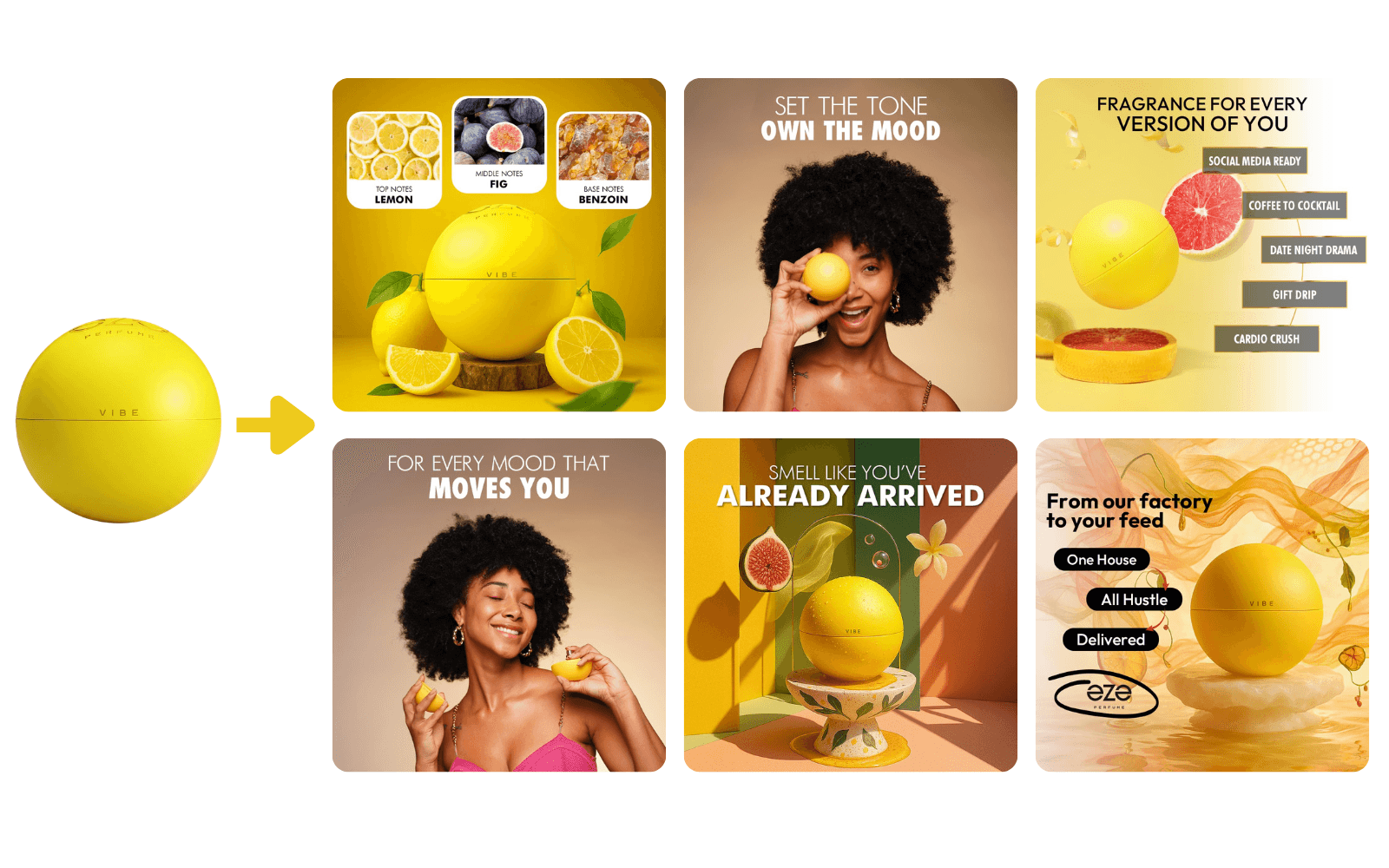
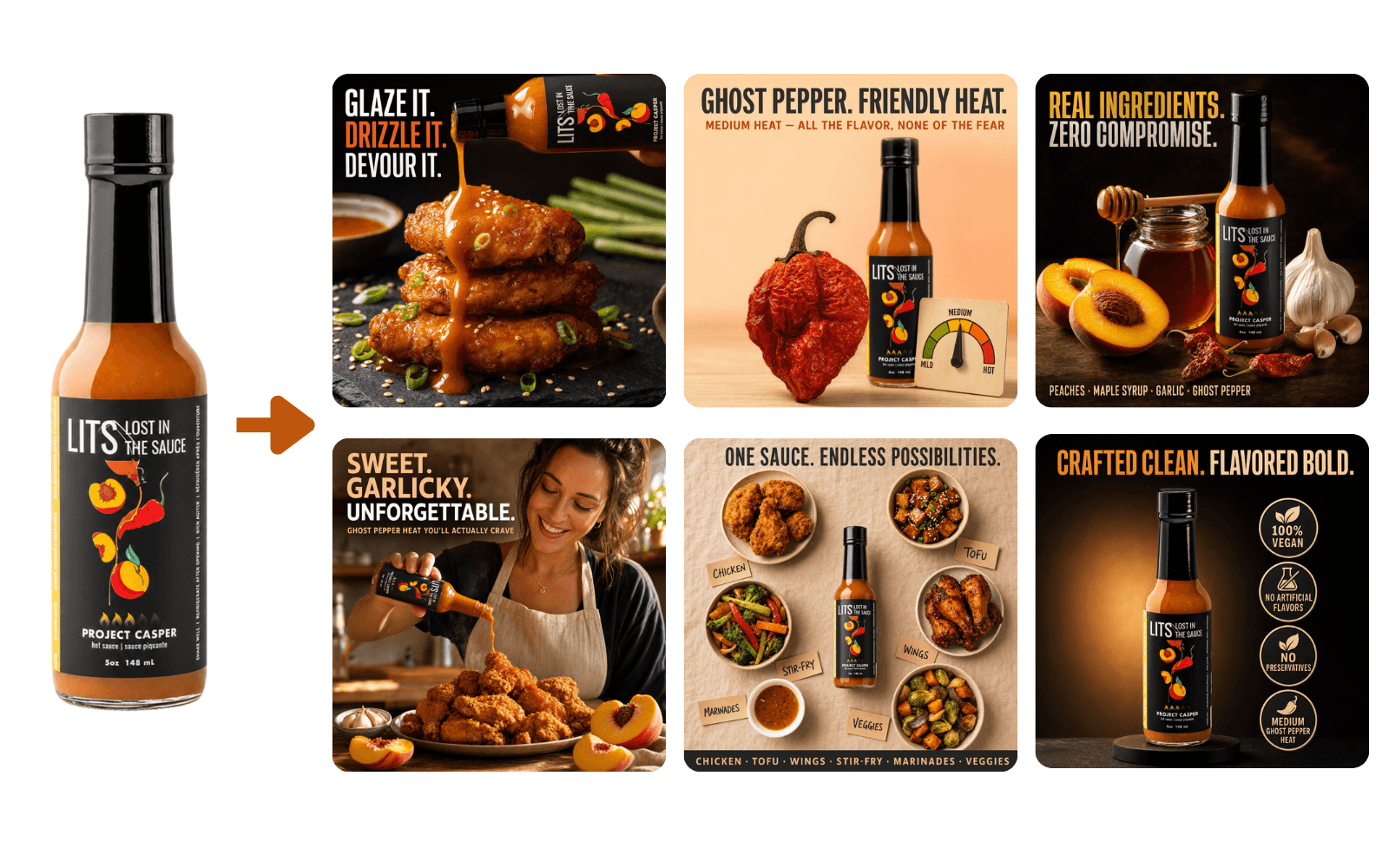
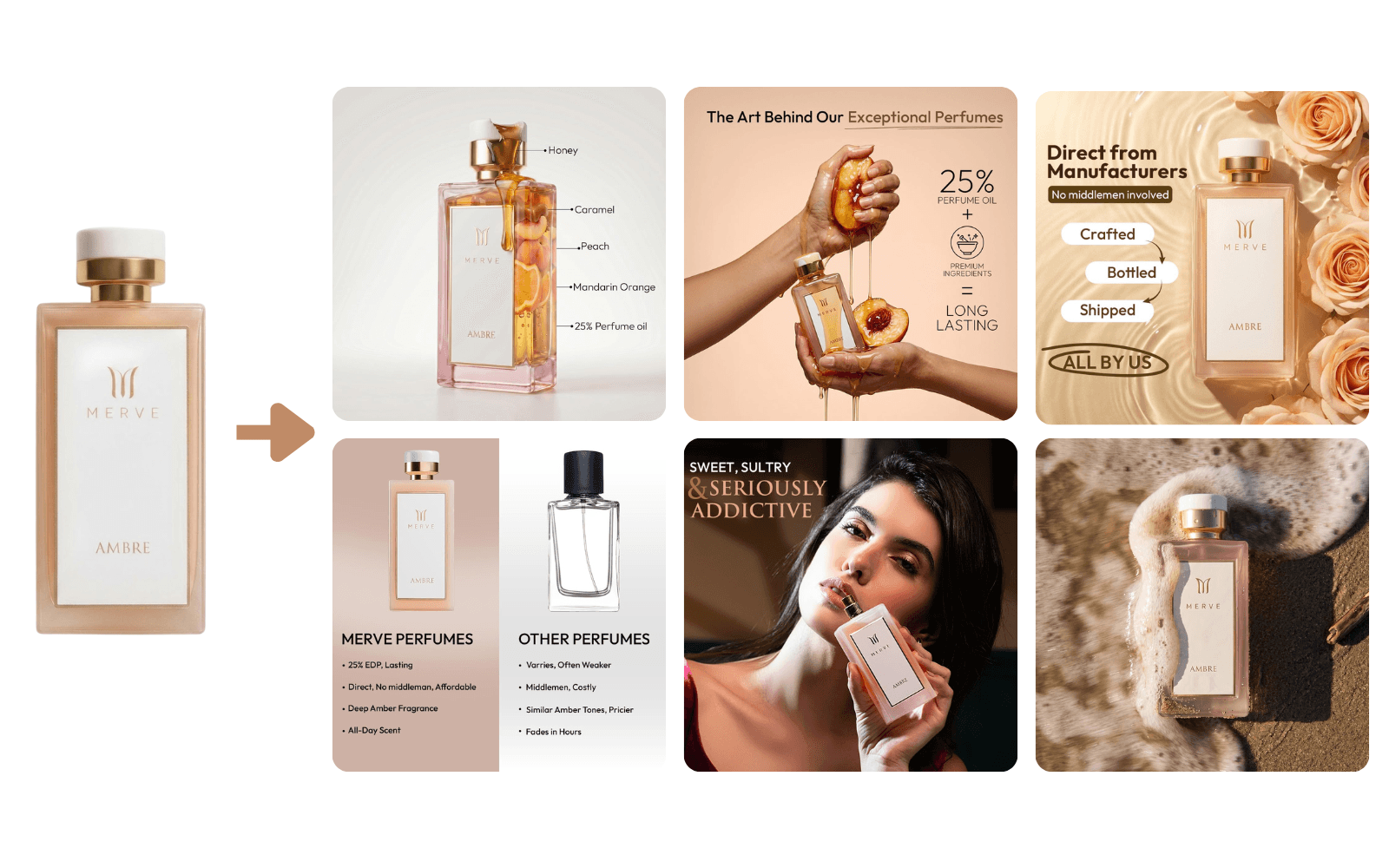
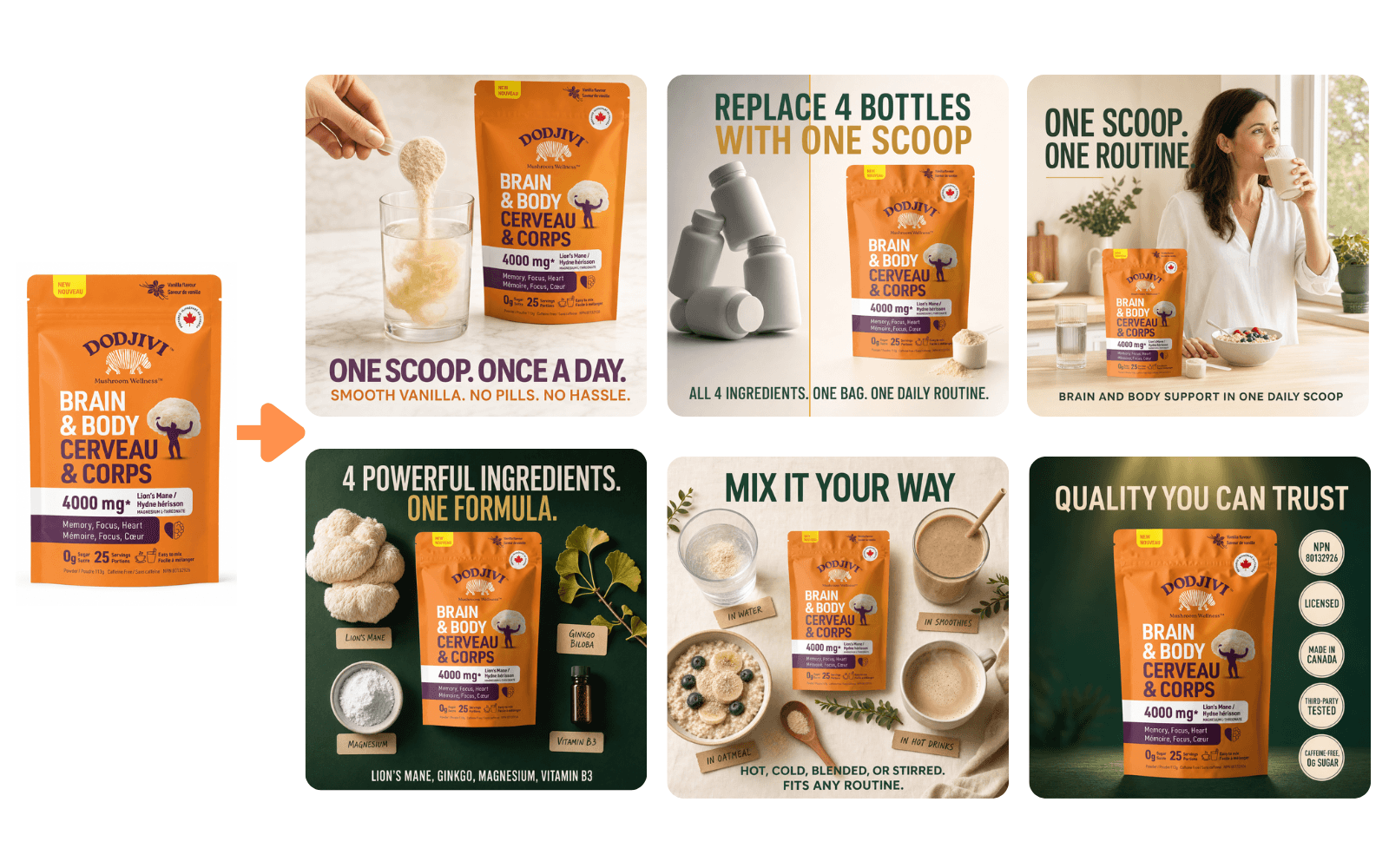
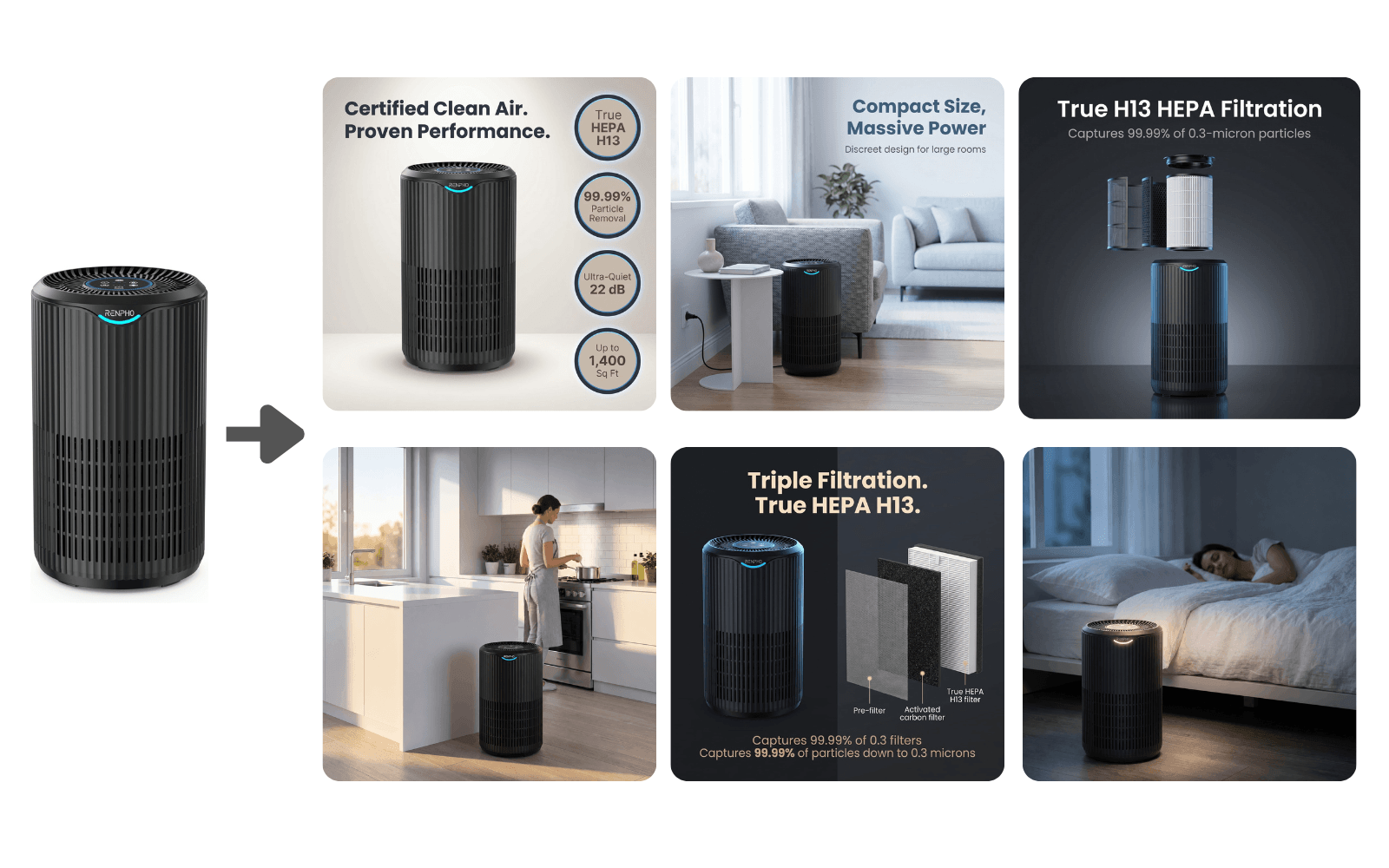

1 / 6
Are your Amazon product images costing you sales? Most listings underperform because the images look basic, fail to build trust in seconds, and don't answer the buyer's silent doubts before they swipe away. You don't have a product problem, you have an image problem.
Generic AI tools make pretty pictures. They don't know your real product, can't read your live listing, and won't deliver a buyer-focused gallery built on your actual marketing copy and review insights.
No more downloading, resizing, and uploading one image at a time. Connect your Amazon Seller account once, review your new 7-image gallery in a confirmation preview, then click Push to submit changes directly to your listing. Processing time varies based on Amazon's review queue.
Every run delivers all 7 images below, each designed to address a specific buyer question. Upload manually or use one-click submission to your Seller account.
Link - You get a URL to open your finished result (page, file, or report).
Enter your Amazon ASIN
Enter one SKU only. This is your product's SKU, found in Seller Central next to the ASIN. It's required to push images directly to your listing.
Select from available options
Upload clear photo of your product.
Create a full Amazon image set from a single ASIN
Replace low-quality or outdated product images
Launch new Amazon listings faster without photoshoots
Improve conversion rate with cleaner, more professional visuals
Generate lifestyle and in-use images buyers trust
Standardize images across all products in a catalog
Refresh listings before ads, deals, or promotions
Produce images for A+ content and secondary galleries
Ratings from buyers who ran this tool.
pasted my ASIN, picked US, uploaded a clean PNG and got a full set back. consistency across the 7 images is what i was missing. send-to-amazon button at the end was a nice surprise too. redoing 2 more listings next
First run was a bit rough and I had to rerun once to get something I’d actually ship. It’s still faster than building a gallery from scratch in Canva, but I wouldn’t call it plug-and-play perfect. Good enough to use, then I did a Canva pass for text overlay and styling because a couple shots still felt generic. Fine for the price, just don’t expect perfection.
The fact it pulls from the listing context is huge. I didn’t have to explain my product, it kinda ‘got it’ from the ASIN.
I was stuck with a boring main image and random gallery pics. This made everything look like one brand. Clean.
I’m not a designer. This is the first time my listing images look like the big brands.
I like the idea a lot. Being able to just drop the ASIN and country and get a full set is super convenient. The visuals were good, but the text overlay styling felt off on a few images, so I had to tweak it to match my brand. If they improve that part, I’d rate it higher.
Uploaded a transparent PNG like they recommend, front facing, and the outputs were sharp. If your source image is meh, dont expect miracles, but with a good PNG it’s great. I tried it first with a JPG and yeah it was ok, but the PNG was a big upgrade. The 7 images came out sharp and actually usable without a bunch of edits. Only reason I’m not giving 5 stars is I still tweaked 1 image to match my exact vibe. Still saved me a ton of time.
The country selector matters. I picked the wrong marketplace first and the results felt off. Switched to CA and it matched my listing way better. Once I selected the right country, it felt like it was pulling the right context. The set looked more upload-ready and less generic. If you’re in Canada, don’t skip that step like I did lol. Overall super happy with the gallery.
I needed something fast for a new variation. ASIN in, PNG in, done. 7 images ready to upload is wild. And I didn’t even have to download and re-upload, hit one button and they were live on my listing.
This saved me from hiring a freelancer again. I still tweak 1 or 2 images sometimes, but the base set is solid. Compared to waiting on a freelancer revision cycle, this was basically instant. I’m picky about brand consistency, and the set still felt cohesive enough that I only had to touch a couple shots. Worth it for the price and the time.
Honestly I was skeptical. But it gave me lifestyle-style images that didn’t look cheesy. More premium than I expected. I’ve tried a few tools like this and most of them look cheap or generic fast. These actually looked clean and believable for an Amazon gallery.
My old gallery looked inconsistent, like 5 different people made it. This made it feel like one photoshoot. The set came out cohesive across all 7 images, which is what I needed. It finally looks like a real brand page instead of a patchwork listing.
super straightforward tbh. ASIN, country, upload product image and ur done. no complicated prompts to write. i didnt have to mess with settings or overthink it. just followed the input rules and the outputs were ready
For a small brand it helped, but it didn’t nail my vibe on the first try. A few images felt a little template-y and I had to swap a couple out after testing. It’s better than my old photos, but I still spent real time in ChatGPT for callouts and Canva to get it where I wanted. Worth trying if you need a fast starting point, just know you’ll probably polish more than the marketing makes it sound.
The close-up detail images are what I needed. It highlights the product better than my supplier photos. Supplier pics were flat and didn’t show the details properly. These make the product features way clearer without looking over-edited.
The output is actually Amazon-ready. I didn’t have to resize a bunch of stuff or fix weird borders. That alone saved me a bunch of time. Honestly, the part that surprised me most was being able to send the whole set straight to my Amazon account from inside the tool. No download, no re-upload, no Seller Central back-and-forth. Move on to the next ASIN.
One tip, use a really clean transparent PNG. I tried a JPG first and it wasn’t as good. Second try was way better. The PNG made a big difference for sharpness. After that, the 7 images came out clean and consistent. Not gonna pretend it’s the final-final look for my brand, but it’s close. I did a quick font and spacing tweak and it looked great.
It’s not just ‘pretty pics’. The set feels built for conversion, like it’s telling a story in the gallery. It flows better from image to image, which is what Amazon shoppers need. Feels more intentional than my old random gallery.
I run multiple ASINs and this is the fastest way I’ve found to refresh images without doing a full shoot. It’s perfect for quick updates and testing new angles. Way cheaper and faster than coordinating new photos every time. And being able to apply the new set directly to Amazon without leaving the tool cuts another 10 minutes per listing.
I like that it keeps things professional. No random clutter, no weird graphics. Just clean product visuals. It looks premium without trying too hard. Exactly the style I want for my listings.
I used it for a product that had low CTR. New images went up same day. Too early to say final results but the listing looks way better than before. The main image looks cleaner and the rest of the gallery actually tells a story now. I like that it doesn’t overdo it with weird graphics or clutter. Looks more legit, which is kinda the whole point on Amazon. I’m gonna run it on another ASIN this weekend.
The consistency is the win. Fonts, spacing, overall vibe, it all matches. My old images were all over the place. Also that one-click apply to my Amazon listing at the end was super clean.
I don’t normally leave reviews but this saved me hours. I was procrastinating on images for weeks.
It’s kinda addicting. You paste the ASIN and it feels like it researched the whole product and built a proper gallery.
Not gonna lie, I had a tiny learning curve with the input rules. Once I followed them, front-facing PNG, no props, it worked really well. I kept trying to upload a product photo with stuff in the background, my bad. Once I used a clean transparent PNG, the outputs were way better. The 7 images are consistent and look professional. Would recommend, just follow the input instructions and you’ll be good. After that, I used Gemini to rewrite 2 short feature lines and updated the overlay in Canva. Small polish, but the base set was already strong.
Honestly it’s not terrible, but it wasn’t for me. I still had to do a bunch of cleanup on text overlay and spacing, so it didn’t feel like a real time saver. The images are a decent starting point, just not something I could upload as-is.
Sign in and purchase this tool to leave a review
pasted my ASIN, picked US, uploaded a clean PNG and got a full set back. consistency across the 7 images is what i was missing. send-to-amazon button at the end was a nice surprise too. redoing 2 more listings next
First run was a bit rough and I had to rerun once to get something I’d actually ship. It’s still faster than building a gallery from scratch in Canva, but I wouldn’t call it plug-and-play perfect. Good enough to use, then I did a Canva pass for text overlay and styling because a couple shots still felt generic. Fine for the price, just don’t expect perfection.
The fact it pulls from the listing context is huge. I didn’t have to explain my product, it kinda ‘got it’ from the ASIN.
I was stuck with a boring main image and random gallery pics. This made everything look like one brand. Clean.
I’m not a designer. This is the first time my listing images look like the big brands.
Showing 1–5 of 26 reviews
Sign in and purchase this tool to leave a review
Can't find the exact tool you want? Tell us and we'll get a creator on it.
Submit a request